No matter how computer literate you get, eventually you’ll stumble over something you find difficult. For me, it’s graphics. I don’t mean tweaking photographs or even editing video. I can manage OK with those, and can even make myself look pretty competent, given enough time. No, I mean real graphics, as in creating drawings. Art was never my strong suit, and when I add the difficulty of making sure a drawing replicates a scene, as in crime-scene drawing, I struggle.
Along came computers, making the job a little easier. Still, most drawing programs I’ve tried over the years have left quite a bit to be desired. Usually, they’ve required a lot of extra steps or haven’t provided much of a starting point. I know I’m not the only police officer who has wished for a better way.
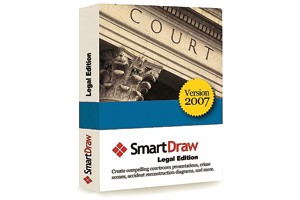
I recently had the opportunity to try out the newest version of SmartDraw 2007, the graphics software package from SmartDraw.com. I was impressed. I think anyone who must produce business-related graphics will find this program easy to use and very helpful.
What You Get
SmartDraw comes in three versions: the basic SmartDraw 2007 program for general business use, SmartDraw 2007 Legal Edition for lawyers and law enforcement professionals and SmartDraw 2007 Healthcare Edition for medical personnel. The legal and healthcare versions include all the templates from the basic business version.
The United States Department of Justice recently purchased 25,000 copies of the SmartDraw Legal Edition for use in all its offices. The program contains more than 50,000 graphics and more than 800 templates. Among the graphics are 3,000 medical illustrations, many legal symbols and pre-drawn graphics of objects unique to crime scenes.
I installed the program on my laptop, which is about one year old. Even though my machine has two gigabytes of memory and plenty of open hard-drive space, the program took a very long time to install. So long, in fact, that I thought it had stopped, and I rebooted. The second time I just let it go, and it eventually did finish installing, but plan on a second cup of coffee while you’re waiting.
Because the program is set up like Microsoft Office, exporting drawings, charts and graphs created in SmartDraw to the different programs within MS Office proves very easy. For those of you who haven’t yet upgraded to MS Office 2007, you’ll face a little learning curve, because the traditional menu structure of SmartDraw is gone, as is the MS Office menu structure. SmartDraw 2007 utilizes the “ribbon” that Microsoft has decided we need in place of the menus we’re all so used to.
Once you get used to the change, however, you’ll probably grow to like the new version—I know I have. Many of the choices available on the ribbons are easier to use and well organized.
How It Works
I was immediately impressed with the simplicity of the program. The layout is intuitive, and the functions are easy to understand. This program should make preparing crime-scene diagrams and accident diagrams, as well as many other documents your department might need, much simpler, especially compared to the old way.
Here’s an example of the old way. Let’s say you want to make up a departmental organization chart. First, you have to decide whether you’ll create it from scratch in a program like Microsoft Word or whether you’ll use a dedicated program. Most programs designed for this purpose require you to understand how organization charts are laid out and what the various symbols mean. For example, different shapes denote different functions in the organization. Once you start putting the chart together, you have to figure out how to connect all the shapes, while still maintaining organizational integrity in the chart. There’s a significant amount of initial knowledge required, then quite a bit of creativity, followed by a lot of manipulation of chart elements to get everything to line up the way you want.
With SmartDraw, I found the process much easier. The program uses components called Smart Templates, Smart Panels and Smart Help. When you choose a Smart Template, different Smart Panels show you the elements that are appropriate, and Smart Help shows up in context when you need it. First, choose an organizational chart from the Smart Templates. Next, drag the correct elements from the Smart Panel onto your chart. Finally, tweak it with colors and font choices. There you go!
This is just the stuff that you could do with other programs, albeit with a little more difficulty. Move to the Legal Edition for the templates you need as an investigator or patrol officer, and that’s where SmartDraw really shines.
How about a traffic-accident diagram? Simple. Click on a blank template that matches your street layout. Don’t see one that matches? Grab the “Blank Roadway” template and lay out your own. Add road markings, signage, vehicles, injured pedestrians—whatever you need to make your diagram accurate. Do it all to scale and in color.
In addition to crime-scene drawing, SmartDraw provides many other tools. Choose from a range of calendars and timelines for scheduling and planning. Select from a variety of maps available in outline form and in more detail. You can lay out maps of states down to the county level. Once you get your creative mojo working, you’ll find many other uses.
You can export whatever you produce in SmartDraw into Microsoft Word, Excel or PowerPoint, as well as directly into PDF format. And if you need help beyond what the program offers with Smart Help, SmartDraw provides free, live tech support.
The Bottom Line
If you’re involved in investigations, eventually you’ll need to diagram a scene. Doing it the old fashioned way, with a pencil and ruler, may be comforting in its familiarity and simplicity, but you’ll put in a lot more work to get a satisfactory result. SmartDraw can turn your diagrams into clean, professional-looking documents you can import into your reports, spreadsheets and slide shows.
Many times the promise of computers—“they’ll make your life easier, honest”—doesn’t seem to hold true in real life. In fact, sometimes it seems computers actually make your job more difficult and complicated. I really liked SmartDraw, especially when I saw the professional-quality results. This is one product that can definitely make your life easier.
Stay safe, and wear your vest!
Contact Info
SmartDraw.com
9909 Mira Mesa Blvd., #300
San Diego, CA 92131
Tel: 800/768-3729